
Your favorite social network at your desktop
Facebook for Windows is a free application that transforms the way you connect with friends, family, and colleagues. It's your window to the world of Facebook, now more accessible and efficient than ever! Experience fast navigation, enjoy real-time notifications, and dive into the global conversation without opening a browser. Don't get left behind in the social media revolution!
Top Recommended Alternative

Facebook for Windows is perfect for users who spend long hours on a computer, the application offers a more focused way to stay connected without constantly switching browser tabs. Its biggest advantage is desktop social access, making communication feel more immediate.
The social network we all know, more accessible than ever
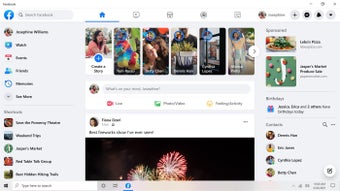
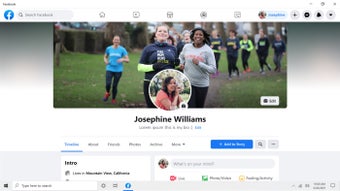
Facebook for Windows offers all the features you would expect from this famous social network, including live chat, news updates, and the ability to share photos and videos. The interface is carefully designed to be intuitive and easy to use, allowing for simple navigation. The application is fast and stable, handling profiles, photos, and videos with ease. Real-time response is excellent, offering a seamless experience.
This social media app stands out for its ease of use and intuitive design. Facebook for Windows is a free application, although it displays personalized ads based on your interests and behaviors on the network. Like the network itself, it is also free. It's available on various devices and offers accessibility features for users with disabilities or specific needs. Compared to other similar products on the market, this app excels in efficiency and ease of use.
Updates and improvements
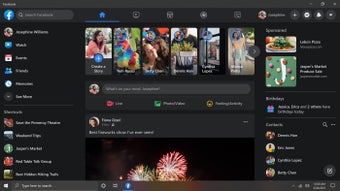
Recent updates to Facebook for Windows have focused on performance refinements and notification reliability improvements. Updates delivered through the Microsoft Store improved startup speed, reduced crashes related to messaging synchronization, and enhanced compatibility with newer Windows builds. Developers also refined notification handling, so alerts appear more consistently in Windows Action Center. Minor UI tweaks improved dark mode of readability and scrolling responsiveness. While these updates enhance stability, there have been no major feature additions.
Performance varies depending on system hardware. On modern PCs, scrolling and navigation feel smooth, and multitasking benefits from the app’s dedicated window. Features like pinned taskbar icons and quick launching reinforce native desktop convenience, helping frequent users access Facebook quickly. However, memory consumption can be higher than expected for a social media app. Because much of the interface relies on web technologies, background resource usage may remain active even when minimized.
A familiar social hub optimized for desktop users
Facebook for Windows delivers a convenient way to stay connected without relying on a browser, offering smooth navigation, reliable notifications, and easy access to core social features. Its desktop focused design improves accessibility for frequent users, though higher memory usage and limited feature evolution prevent it from feeling fully optimized. Still, it remains a practical option for users wanting consistent social access on PC.
Frequently Asked Questions
- Is Facebook for Windows free? Yes, Facebook for Windows is completely free to download and use.
- Can I use Facebook for Windows on other operating systems? No, this application is specifically designed for Windows.
- How can I control the ads displayed on Facebook for Windows? You can adjust your ad preferences within the settings of your Facebook account.
- Does Facebook for Windows offer the same features as the web version? Yes, it offers most of the functions you find in the web version, optimized for desktop use.
- Does the Facebook for Windows app have accessibility features? Yes, it includes options to assist users with disabilities or specific needs.
.jpg)